

Follow these simple steps

1. Open Telegram

Open Telegram on your phone or desktop.

2. Search “cardealer5”

Find the bot and press Start.

START
3. Press Start

The bot will begin the connection process.

4. Copy your ID

Telegram will show your numeric ID.

5. Paste it above

Submit the ID to connect your account.

Powered by
Car Dealer 5 Logo

Log in to 5

Secure
your account
with Telegram

Instant lead notifications
Reply to customers on the go
Extra security for your account
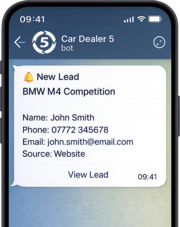
Download Telegram and connect in seconds

Learn how to connect Telegram